 PlayPolaris
The real Polaris runtime
Screens render with Shopify's own Polaris scripts. Switch between v1 and the 2.0 release candidate to see both admin designs.
Drag Polaris web components into a live preview, let the builder check them against Polaris rules, and export HTML or React. Free and open source, in your browser, with no account.
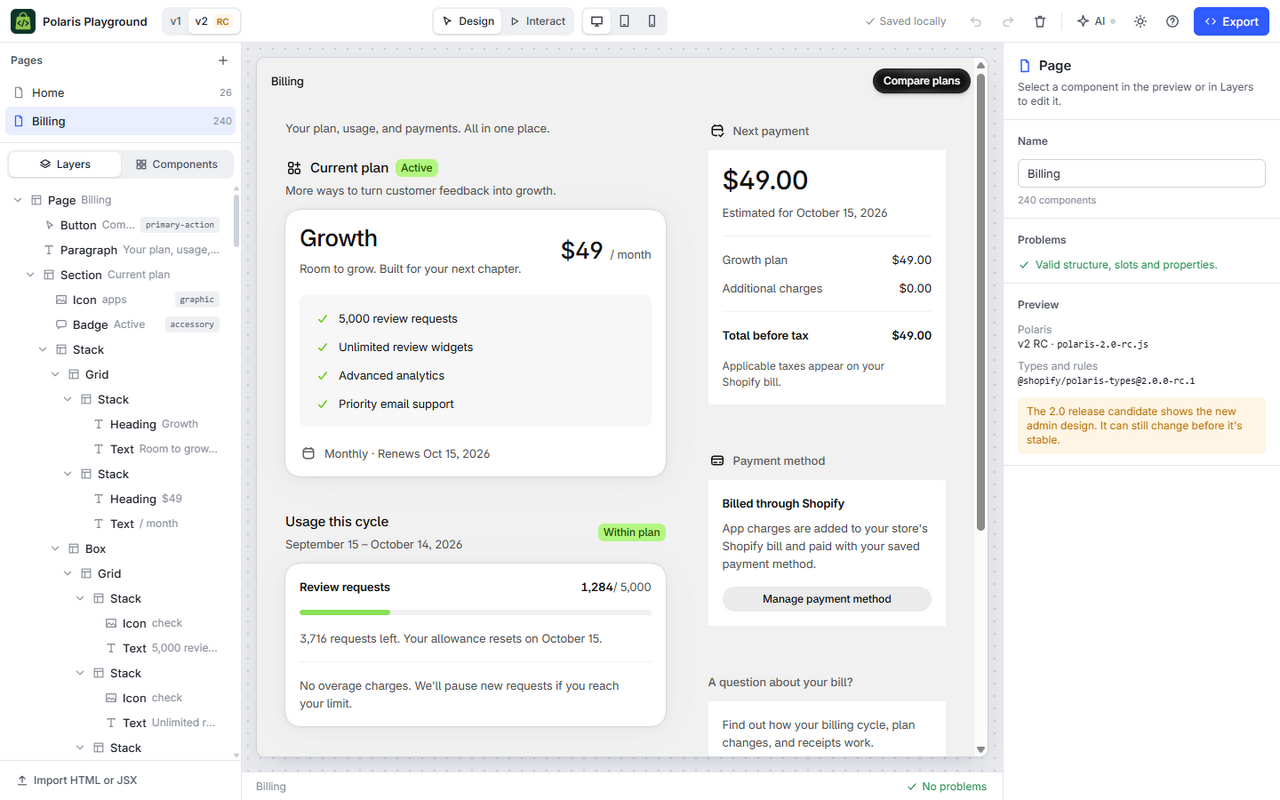
Built on Shopify's official component catalog, so what you design is what Polaris can actually render.
Screens render with Shopify's own Polaris scripts. Switch between v1 and the 2.0 release candidate to see both admin designs.
Every drop and edit is checked against Polaris slot and nesting rules, with a plain explanation when something doesn't fit.
Drag from the palette, reorder in the layers tree, or add a component between any two elements.
Copy or download clean markup for one page or all of them, as HTML or React JSX typed with @shopify/polaris-types.
Save anything you build as a reusable component, then drop it into any page.
In browsers with WebMCP, AI agents can read the catalog, build pages and export code. Every change lands in your undo history.
Pick a blank page or a common App Home layout: home, index, details, settings or empty state.
Add components, edit their properties in the inspector, and fix anything the checker flags.
Download HTML or React JSX and paste it into your Shopify app.
PlayPolaris is a free, browser-based builder for prototyping Shopify App Home screens with Polaris web components. You arrange real components in a live preview, it checks Polaris nesting rules as you go, and you export the result as HTML or React JSX.
It's free, and there's no account or sign-up. Open the builder and start; your work is saved in your browser as you go.
Yes. PlayPolaris is released under the MIT License. You can read the source code, report issues, and contribute on GitHub.
Polaris web components v1 (polaris-1.js) and the 2.0 release candidate (polaris-2.0-rc.js), which shows the new Shopify admin design. You can switch at any time. The component catalog comes from Shopify's official @shopify/polaris-types packages.
In your browser's IndexedDB storage. Nothing is uploaded. Clearing this site's data removes it, so export pages you want to keep.
Yes. HTML export can include the Polaris and App Bridge script tags, and React export produces a component typed with @shopify/polaris-types. Both use the same s-* elements Shopify documents for App Home.
Yes. It checks allowed parents, what each slot accepts, property values, duplicate ids and basic accessibility, and it refuses drops Polaris doesn't allow, with the reason.
Yes, in browsers that support WebMCP. The builder exposes tools for reading the component catalog, creating and editing pages, validating and exporting, so an agent can build screens alongside you.
No. PlayPolaris is an independent tool. It loads Polaris from Shopify's CDN and follows Shopify's public documentation, but it isn't made or endorsed by Shopify.
Start from a layout, or from a blank page.